
Case Studies - iGuide - Unique wayfinding software
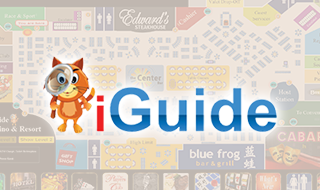
Based in Las Vegas, Nevada, Casino Data Imaging (CDI) serves the casino industry. CDI provides digital media solutions to over 150 casinos worldwide. CDI’s flagship product CasinoCAD© serves casinos in data visualization and report-writing tools.
SDI built an app offering fun, rich, & exciting experiences in navigating hotel, casino, and retail environments. Our app went beyond the map, providing the user with detailed information and guidance on any hotel, casino, and retail environments.
Upon entering a casino, users can check iGuide to find out what’s happening right now. iGuide also offers users navigation, from their current position to any location on the property, using an animated avatar to display the locations of each landmark in the casino.
Challenges
- A lot of time was allocated towards requirement gathering and technical feasibility mapping and analyzing the requirements and providing the best suggestions for the following:
 Technology Database Preparing and integrating an algorithm
 - Developing Casino Map and displaying its complete information with animation.
- Fetching data (Game details) from customers database and pull it into iGuide.
- Track individual floor in the casino and each & every place, facility on each floor.
- Track each place in the casino with route and direction by animation.
- Dynamic starting point option to the user: A map of casino will be displayed on the touch screen. User can touch on any place (starting point) in the Map and find the path/route to any other place (secondary point) in the casino. Then this dynamic starting point will be utilized by the application.
System software Requirements
- Minimum configuration required for the Touch Screens
Intel Core 2 Quad - 2.66 GHz 4 GB Minimum RAM Minimum Disk Space required - 10 GB 32-Bit Operating System Windows Vista Business/Ultimate or Windows XP Microsoft .Net Framework 3.5 with SP Microsoft SQL Express Edition* 1 GB Video RAM preferred - Minimum configuration required for the Server
Intel Xeon - 2.6 GHz/Core 2 quad - 2.6 GHz 4 GB Minimum RAM Minimum Disk Space required - 10 GB Windows Server 2003/2005 Microsoft .Net Framework 3.5 with SP1 Microsoft SQL Express Edition Operating System
Operating System
Solutions
SDI proposed iGuide system to be divided in two parts.
- A Touch Screen Guiding Application for users/people visiting casinos.
- Administrator Console Master Interface - Each specific department and retailer have their own interface for updating specific information including casino, hotel, retail & other Navikey categories.
Console Master [Administrator's Panel]
- A separate application used to Add, Edit, Delete and Control the Complete data for iGuide.
- Facilitate Common Data sharing for Touch Screens which are located at the various place of Casino.
- Viewing database connection status and changing the database connection.
- Viewing and evaluating the visits (made by users) for each place in the Casino like Game, Restaurant, Hotel, Shop and etc.
- User rights and Approval – Console for allocating full or limited rights to each user i.e. user privileges. He can add and edit the new or existing data but same needs to be approved or rejected by admin.
- Schedule content for specific dates and times.
- Create unique NaviKey which is expandable via console master.
- Monitor and analyze how customers are utilizing the application & what is important for them.
Touch Screen - iGuide™
- This interface is used to Guide the Casino visitors via touch screen applications.
- A Casino Map with complete information will be available on the Touch Screen placed at various places of Casino.
- In the Casino Map, user can see each & every place of Casino.User can touch any place like Restaurant, Hotel, Rest Room, Game and etc in the Casino Map.
- The interface provides a fun, easy, and memorable way to follow the avatar walking from his current position to any location on the property.
- When entering any location, customer can find out what's happening on following
Food and drink specials Entertainment deals New Games Tournament information Sports scores, weather, convention information etc - Provides latest progressive meter amounts on the casino floor. Customer can Select the progressive he wants to play and application will show him the way
- User can check out the latest winners and what they played. If user selects a particular winner, application will walk him to the winning progressive bank.
- Customer can select any restaurant to view the menu, check real time specials, and then guide him there. Customer can see what amenities and landmarks are along the way.
- Customer can view the availability of Shows, other Entertainment, and Leisure activities including video previews, ticket information, mapping.
- Customer can view all retail stores and hotel shops. By selecting a store, he can check for specific store information or deals offered.
- Application will display the schedule of the meetings that will be held for the full today, the conference room where the meeting is being held, and then guides him to the location.
Project Phases
| Design - 15 days |
Development & Beta Delivery - 60 days |
Testing, Load Test & Launch – 30 days |
Tools & Technologies Used
-

Probably the most popular IDE for Windows Applications and Web Applications.
Read more -

Consistently stable in high volume data environment with a wide range of support available for free over various forums and support portals. The preferred database used with Microsoft .Net oriented applications and other languages.
Read more -

Microsoft Expression Blend is a user interface design tool developed and sold by Microsoft for creating graphical interfaces for web and desktop applications that blend the features of these two types of applications. It is an interactive, WYSIWYG front-end for designing XAML-based interfaces for Windows Presentation Foundation It is one of the applications in the Microsoft Expression Studio suite.
Manpower
| Project Leader - 1 |
Team Leader - 1 |
Web Developers - 2 |
Web Designers - 1 |
Quality Assurance Testers - 1 |
Planning
With the prior experience in Web developing, web based applications; SDI followed a Multi-tire approach towards the development starting from:
- The Database layer containing MS SQL Server Database, Tables, Stored procedures, User Defined Functions, Views and so on.
- The Data Access layer containing the libraries responsible for accessing data from database.
- The Business Logic layer consisting of all business logic procedures for modules like User Profiles, Recommendations module Deals Generation & management module, Report generations etc
- The User Interface Layer which forms the Graphical User Interface of the website.
Architecture
ASP.NET has a collection of objects that helps creating easy "user interfaces" for developers. These objects are server controls that you can place into .aspx pages. When a web page is served up by the server to a client machine, the pages are rendered as HTML. The pages execute on the server and generate HTML code that is inserted into the outgoing HTML stream. The browser sees the pages as HTML, whereas the ASP.NET page and developer see them as controls.
The website has lot of features like finding the next available delivery date based on the zip code, based on the vendor, customer information, occasion reminders, address book management, order management and many other features were developed in this website.
The website files consist of all the layers for respective modules in which the Business logic layer have many functions which act as a mediator to the transfer the data from the Application layer. Data access layer is also a class which we used to set and get the data "to and fro" from the database. This layer is used to communicate with the database. We wrote the stored procedures to access the data from the database or to perform any operations to the database.